
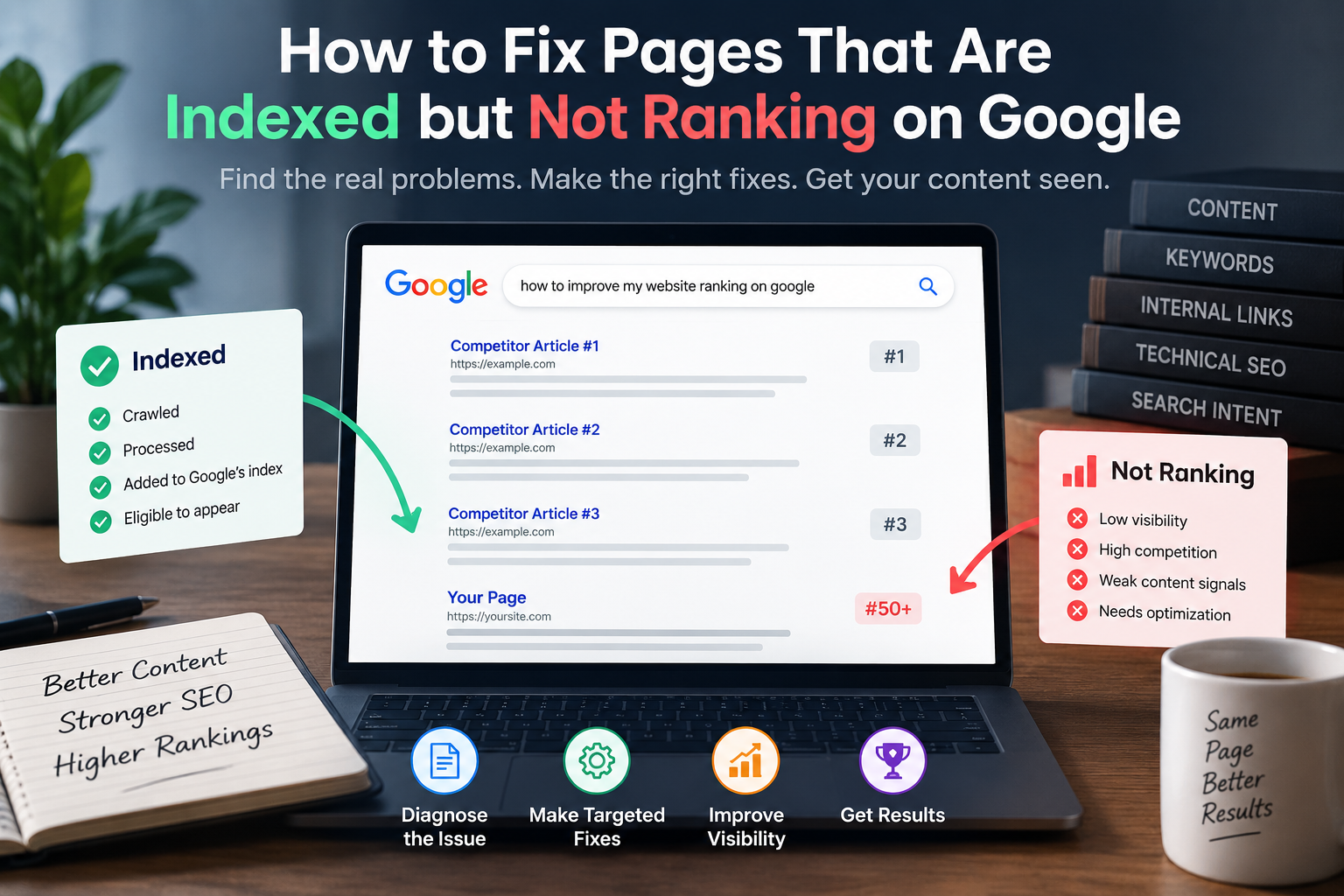
If a page is indexed by Google but does not appear prominently in search results, check the page’s search visibility, relevance, content quality, internal links, competition, and technical signals before publishing more content.
Google indexing and Google ranking are different processes. An indexed page has been crawled, processed, and added to Google’s index, but that does not guarantee a strong position for a particular search query. Google states that an indexed page may still fail to appear for a specific search or may appear at a different position depending on the query and other factors.
For a website owner, this creates an important distinction:
Indexed does not mean competitive.
A page can be technically available to Google and still struggle because it does not match the search intent closely enough, provides less useful information than competing pages, has weak internal support, targets a query that is too competitive for the site, or has technical problems that affect how Google understands the URL.
The most useful way to diagnose the problem is to work through the page in order: confirm indexing, inspect the actual search position, evaluate the content, check internal links, investigate competing pages, review technical signals, and then make targeted improvements.
First, confirm the page is actually indexed and check where it ranks
Before changing the article, verify the page’s status in Google Search Console.
Open URL Inspection and enter the exact URL.
Google’s URL Inspection tool shows whether Google knows about the URL, whether it is indexed, the canonical URL selected by Google, and information about crawling and indexing.
If Search Console reports “URL is on Google,” the page is indexed and eligible to appear in Search results. Google also makes clear that this status does not guarantee that the page will appear prominently.
Then check the Performance report.
Look for:
- Impressions
- Clicks
- Click-through rate (CTR)
- Average position
- Queries
- Pages
The query data is particularly useful.
A page that you believe targets one keyword may already be receiving impressions for dozens of related searches.
That information can reveal what Google believes the page is relevant to.
Three common situations
Indexed with almost no impressions:
The page may have weak relevance, weak demand, limited authority, or insufficient competitive strength.
Indexed with impressions but very low positions:
Google is finding some relevance, but the page may not be competitive enough for the queries.
Indexed with impressions around positions 8–20:
The page may have a clearer opportunity for improvement because Google is already testing it in visible positions.
Do not assume that searching the keyword manually once tells you the page’s true ranking.
Search results can vary based on location, device, personalization, language, and other factors. Google specifically notes that an indexed page does not necessarily appear for every search or at the same position.
Indexing does not mean quality
Indexing answers a technical question:
Can Google include this URL in its index?
Ranking answers a different question:
How useful and relevant is this page for this particular search compared with other available results?
Google describes indexing as the process of processing a crawled page and adding it to Google’s index, where it may become eligible to appear in Search.
That distinction explains why a page can be indexed and still receive very little organic traffic.
An indexed page can have:
- Correct technical accessibility
- A valid canonical
- No
noindexdirective - Searchable content
and still fail to rank prominently.
Indexing is therefore not the finish line.
It is one stage in the search process.
The content may not go deep enough
To improve an indexed page, start with the content itself.
Ask:
Does this page fully answer the question represented by the target query?
A page can contain the target keyword several times and still provide a poor answer.
For example, suppose the target query is:
“how to improve website ranking on Google”
A weak article might list:
- Use keywords
- Build backlinks
- Improve page speed
- Write good content
- Use internal links
The information isn’t necessarily wrong.
The problem is that the reader still doesn’t have a clear process.
A stronger article could explain:
- How to identify the pages with ranking potential
- How to inspect Search Console data
- How to evaluate search intent
- How to compare competing pages
- How to improve topical coverage
- How to strengthen internal links
- How to identify technical blockers
- How to measure the changes afterward
Depth doesn’t mean adding unnecessary words.
Depth means covering the important parts of the problem well.
Google’s guidance on creating helpful content focuses on producing content for people that provides substantial value rather than creating pages primarily to attract search traffic.
Reason 2: The content is too thin to compete
Thin content isn’t simply content with a low word count.
A 900-word page can be more useful than a 3,000-word page.
The better question is:
Does the page provide enough useful information to satisfy the searcher’s intent?
Compare:
Thin approach
“How to improve SEO”
- Use keywords
- Get backlinks
- Improve speed
- Create content
More useful approach
“How to improve SEO for a new website”
- Identify pages with existing impressions
- Map queries to search intent
- Build topic clusters
- Improve pages already close to page one
- Strengthen internal linking
- Fix technical indexing problems
- Compare competing search results
- Measure changes through Search Console
The second page gives the reader a process.
That’s what you should aim for.
A practical content-depth test
Before rewriting the page, search the target query and examine the pages that consistently appear.
Don’t copy their structure.
Instead, identify:
- Questions they answer
- Questions they don’t answer
- Evidence they provide
- Examples they use
- Important terminology they explain
- Practical steps they provide
- Information that appears outdated
Then ask:
What can this page contribute that the current results do not provide clearly?
That question is more useful than simply trying to make your article longer.
Weak internal links limit page support
Internal links help users move between related pages and help Google discover relationships between pages.
Google’s documentation recommends ensuring that your important pages are reachable through site navigation and links. Google also explains that pages can be discovered through links from pages Google already knows about.
For a page that isn’t ranking, inspect the internal links pointing toward it.
Suppose you have:
SEO Content Strategy
and another page:
How to Find Search Intent
If the second page is important, relevant pages about SEO strategy, keyword research, content planning, and Search Console can link to it naturally.
The links should make sense to the reader.
Don’t add 50 internal links simply because an SEO tool recommends a number.
Build a useful path through the site.
Reason 3: The page has no internal links pointing to it
A page that sits alone on the website is harder to integrate into the site’s overall information architecture.
Check:
- Does the relevant category page link to it?
- Does the main pillar article link to it?
- Do related articles link to it?
- Can a visitor reach it without using the site’s search function?
- Is the page included in the site’s normal navigation structure where appropriate?
Google recommends comprehensive site navigation so that important pages can be discovered starting from the homepage.
Build links based on relevance
Suppose your website has these pages:
SEO Content Strategy
Search Intent
Keyword Research
Internal Linking
Search Console Guide
A logical internal-link structure might look like:
SEO Content Strategy
→ Search Intent
→ Keyword Research
→ Internal Linking
→ Search Console
This creates relationships between pages that cover connected problems.
The goal isn’t to maximize the number of links.
The goal is to make the site’s information easier to understand and navigate.
Keyword cannibalization is splitting your signals
Keyword cannibalization is often misunderstood.
Two pages mentioning the same keyword do not automatically create a problem.
The more useful question is:
Do two pages serve substantially the same search intent?
Suppose your site has:
- How to Do Keyword Research
- Keyword Research Guide
- Keyword Research for Beginners
- How to Find SEO Keywords
If all four pages provide essentially the same answer, you may have created unnecessary overlap.
But these pages could have clearly different purposes:
- Keyword Research Fundamentals
- Keyword Research for Ecommerce
- Keyword Research for Local SEO
- Keyword Research Using Search Console
The difference is not simply the keyword.
The difference is the problem and intent.
What to do when pages overlap
Review the competing URLs.
If one page is clearly stronger, consider:
- Consolidating overlapping information
- Redirecting an unnecessary page where appropriate
- Rewriting the pages so their purposes are clearly different
- Strengthening one page and using the others as supporting resources
Do not delete pages simply because they rank poorly.
First determine whether they serve a useful purpose.
Authority and competition still matter
A strong article can struggle when it competes against websites with much stronger overall signals.
Consider a new website targeting:
“SEO”
against established SEO publications and major software companies.
The new website may publish an excellent article and still find the query difficult.
This doesn’t mean the content is useless.
It means the target may be too broad or competitive for the site’s current position.
A better strategy may be to target a narrower problem.
Instead of:
SEO
try:
SEO content strategy for a new website
Instead of:
Google Ads
try:
Google Ads conversion tracking for small businesses
Instead of:
Keyword research
try:
How to find low-competition keywords for a new website
The goal is not to avoid competitive topics forever.
The goal is to build enough topical depth and credibility before trying to compete for the broadest queries.
Reason 5: The keyword is too hard for your site right now
Keyword difficulty scores from third-party SEO platforms can be useful for research, but they are not Google ranking requirements.
Treat them as estimates.
Look at the actual search results.
Ask:
- Which websites currently rank?
- How specific are their pages?
- Are they major publications?
- Are they specialized websites?
- Do their pages directly match the query?
- Does the search result contain weak or outdated pages?
- Can your page provide something substantially better?
A high-volume keyword is not automatically a good target.
A lower-volume query can be valuable when it attracts exactly the audience your website wants.
A better keyword-selection principle
Choose topics where three things overlap:
Search demand + audience relevance + realistic competitiveness
If one of those is missing, the keyword may not be a good target.
Quick technical checks that block ranking
Before rewriting an article, make sure the problem isn’t technical.
Use Google Search Console’s URL Inspection tool.
Check:
1. Index status
Confirm that the URL is actually indexed.
2. Canonical URL
Check which canonical URL Google selected.
Google’s URL Inspection documentation includes the canonical information Google chose for the inspected URL.
3. Robots.txt
Make sure the important page isn’t blocked from crawling.
4. Noindex
Check that the page isn’t accidentally marked with a noindex directive.
5. HTTP status
Confirm that the URL returns a normal successful response rather than an unexpected error or redirect.
6. Page accessibility
Make sure visitors and Google can access the page without authentication or other restrictions.
7. Mobile usability
Open the page on an actual phone.
Check:
- Text readability
- Navigation
- Buttons
- Tables
- Images
- Intrusive elements
8. Page experience
Review obvious usability problems such as excessive intrusive elements, broken layouts, slow-loading resources, or difficult navigation.
Don’t turn technical SEO into a checklist where every warning becomes a ranking emergency.
Fix problems that actually affect crawling, indexing, usability, or the ability of Google and visitors to understand the page.
Google’s Page Indexing documentation specifically distinguishes genuine indexing problems from URLs that are correctly excluded, duplicated, or otherwise not intended for indexing.
The fix-it checklist in order
When a page is indexed but isn’t performing, work through this order.
Step 1: Confirm indexing
Use URL Inspection.
Step 2: Check Search Console performance
Look at queries, impressions, clicks, CTR, and average position.
Step 3: Identify the actual search intent
Read the current search results.
Step 4: Compare competing pages
Find what they provide that your page doesn’t.
Step 5: Improve the content
Add missing information, examples, evidence, explanations, and useful processes.
Step 6: Check internal links
Add relevant links from stronger related pages.
Step 7: Check for overlapping URLs
Determine whether another page serves the same intent.
Step 8: Review technical issues
Check canonical, robots, noindex, accessibility, redirects, and page rendering.
Step 9: Improve the title and description
Make the result accurately communicate the page’s value.
Step 10: Measure again
Give Google time to recrawl and reassess the updated page, then monitor Search Console.
Google notes that indexing and reprocessing are not instant. Its documentation says newly created or updated pages can take time to be crawled and indexed.
How to use this guide on a real page
Take one article that is already indexed but receives little organic traffic.
Don’t change everything at once.
Record its current:
- Impressions
- Clicks
- CTR
- Average position
- Top queries
Then inspect the page.
A practical workflow for Why Your Page Is Indexed but Not Ranking
Suppose an article targets:
“how to build an SEO content strategy”
Search Console shows that the page receives impressions for:
- SEO content strategy
- SEO content plan
- content strategy for SEO
- SEO strategy for new website
- how to plan SEO content
Now examine the page.
Perhaps it explains content calendars but barely discusses:
- Search intent
- Topic clustering
- Existing-page analysis
- Internal linking
- Search Console data
- Updating content
Those gaps provide a clear improvement plan.
You aren’t rewriting the page because an SEO tool says “add 1,000 words.”
You’re rewriting it because the actual queries and competing pages reveal missing information.
That’s a much stronger optimization process.
Quality checks before you move on
Before republishing the updated page, check:
- Does the introduction answer the query quickly?
- Does every section solve part of the problem?
- Are factual claims supported by reliable sources?
- Are examples specific?
- Are recommendations actionable?
- Does the page avoid unnecessary repetition?
- Does the article have a clear author or publisher identity?
- Are important claims current?
- Are internal links relevant?
- Does the page work well on mobile?
Common mistakes to avoid
Changing the keyword repeatedly:
A ranking problem isn’t automatically a keyword-density problem.
Adding words without adding information:
Longer doesn’t automatically mean better.
Adding unrelated keywords:
Semantic relevance comes from useful coverage, not keyword stuffing.
Building random backlinks:
Don’t treat backlinks as a universal fix for every ranking problem.
Deleting every page that doesn’t rank:
Low traffic alone doesn’t prove that a page has no value.
Publishing five replacements immediately:
Diagnose the existing page before creating more URLs.
Checking only one Google search:
Use Search Console data to understand actual impressions and queries.
Expecting immediate results:
Google needs time to recrawl and process substantial changes.
Review-readiness notes
A strong article about indexed pages should make a clear distinction between indexing and ranking.
It should not promise that a specific optimization will produce a particular ranking position.
It should not claim that every indexed page needs backlinks.
It should not claim that a particular word count guarantees rankings.
It should not treat third-party keyword difficulty scores as Google’s ranking system.
It should not tell readers to delete pages simply because they receive little traffic.
The safest approach is to diagnose the individual URL, search intent, competing results, site structure, content quality, and technical configuration.
Google’s own documentation supports this diagnostic approach: Search Console can show indexing status, while URL Inspection provides details about crawling, indexing, and the selected canonical.
Frequently Asked Questions
How long does it take for an indexed page to start ranking?
There is no fixed ranking timeline.
A page can be indexed and appear in Search quickly, while meaningful ranking changes can take longer. Google states that indexing itself can take time and that submitting a crawl request does not guarantee immediate indexing.
If the page has been indexed but remains weak, focus on improving the page rather than waiting for a guaranteed ranking date.
Why is my page on page two of Google and not moving?
A page around positions 11–20 may already have relevance for the query but may not be competitive enough to move higher.
Compare your page with the results above it.
Look for differences in:
- Search intent
- Content coverage
- Specificity
- Evidence
- Page usefulness
- Internal linking
- Site relevance
Then improve the weakest areas instead of changing the entire page without a diagnosis.
Does indexing a page guarantee it will rank?
No. Indexing means Google has processed the page and made it eligible to appear in Search. Google explicitly states that an indexed page is not guaranteed to appear for a particular search or at a particular position.
Can too many pages on one topic hurt my rankings?
Yes, excessive overlap can create problems, but page count alone is not the issue.
If several pages serve substantially the same search intent, the site can develop unnecessary duplication and a confusing information architecture.
The better approach is to give each page a distinct purpose.
Should I delete pages that are indexed but never rank?
No, not automatically.
First check whether the page:
- Serves a useful audience
- Supports another page
- Has impressions
- Has backlinks or referrals
- Provides valuable information
- Could be improved
- Overlaps with another URL
A low-traffic page can still have a legitimate purpose.
Why can a page be indexed but not rank?
A page can be indexed but rank poorly when it is not sufficiently relevant, useful, competitive, or well-supported for the target search.
Possible causes include:
- Weak search-intent alignment
- Incomplete content
- Strong competition
- Weak internal linking
- Overlapping pages
- Poor topic selection
- Technical problems
- Limited site relevance
Indexing only establishes that the page can be eligible for Search; it does not guarantee a prominent position.
Can indexed pages rise without backlinks?
Yes.
Backlinks are not a requirement that every page must satisfy before it can rank.
A page can improve through better relevance, stronger content, better site structure, improved internal linking, stronger search-intent alignment, and other factors.
However, competitiveness varies by query, so some searches may be difficult without substantial authority or external references.
Keep reading
If you’re building a new website, don’t treat ranking problems as isolated page-level problems.
The pages are connected.
A strong content strategy can help you decide:
- Which topics deserve dedicated pages
- Which pages should support each other
- Which keywords represent different search intents
- Where internal links belong
- Which articles should be updated
- Which topics are too competitive for the site’s current stage
Start with the pages that already show evidence of search demand.
Then use that evidence to decide what deserves improvement.
Browse the full guide library
For a growing SEO library, organize content into clear topic groups rather than publishing unrelated articles.
A useful structure could include:
SEO
- Keyword Research
- Search Intent
- Content Strategy
- Internal Linking
- Technical SEO
- Search Console
- SEO Audits
Digital Marketing
- Google Ads
- Meta Ads
- Content Marketing
- Conversion Optimization
- Analytics
AI & Digital Skills
- AI Automation
- AI-Assisted Workflows
- Digital Marketing Skills
- Online Business
This structure gives each article a place within the wider publication.
Run the audit tool
For an indexed page that isn’t performing, start with Google Search Console rather than a generic SEO score.
Use URL Inspection to verify:
- Index status
- Crawl information
- Canonical selection
- Page accessibility
Then use the Performance report to identify:
- Queries
- Impressions
- Clicks
- CTR
- Average position
Google’s documentation recommends URL Inspection for determining the index status of an individual URL, while the Page Indexing report provides broader site-level indexing information.
Recommended next steps
Choose one indexed page that isn’t getting the traffic you expected.
Don’t publish another article yet.
Run this sequence:
1. Inspect the URL.
2. Record its Search Console queries and impressions.
3. Identify the search intent behind its strongest queries.
4. Compare the page with the current results.
5. Find the most important content gaps.
6. Improve the page rather than simply increasing its word count.
7. Add relevant internal links.
8. Check for overlapping pages.
9. Verify the technical configuration.
10. Monitor the page after Google has had time to recrawl and process the changes.
The key lesson is simple:
An indexed page is not a failed page.
It is a page that has entered Google’s index but may still have work to do before it becomes competitive for the searches you care about.
Diagnose the problem first.
Then improve the specific weakness.
That is a much better SEO strategy than publishing another 20 articles and hoping one of them works.